Draw stitch by stitch
A brush, an eraser, a fill and a selection you can copy, cut and paste. Turn on mirroring and every stroke repeats across the middle of the grid, so a symmetrical border takes a quarter of the work.


Draw on a stitch grid, turn a picture or a line of text into stitches, match every color to a DMC thread, and print a chart you can stitch from.
Drop an image onto the canvas or choose one from the File menu. The import dialog shows the picture and the stitches side by side while you work: rotate or flip it, adjust brightness and contrast, and remove the background by clicking the color you want gone. Then choose the width in stitches and how many threads you are willing to buy, and the preview updates as you go. When it looks right, place it on the canvas, nudge it into position, and carry on drawing over it.
The canvas is a grid of stitches at whatever size your project needs, with rulers along the edges and a bold line every ten. Pick a color from the palette or type a hex value, and the nearest DMC thread is named beside it. The tools are the ones you would expect, each on a single key: brush, eraser, fill, select, and an eyedropper for picking a color back up off the fabric. Layers keep the background, the motif and the lettering apart so each can be moved or hidden on its own.
Type it, pick a font, choose the letter height and spacing, and add an outline in a second color if you like. The built-in pixel font stays sharp at small sizes; a serif or a script font gives you something softer for a sampler.
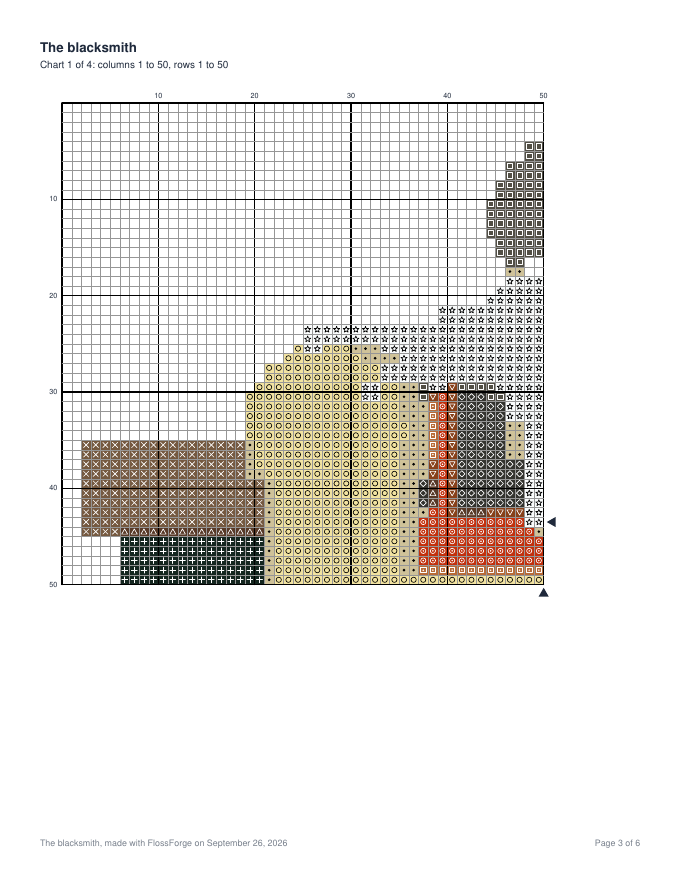
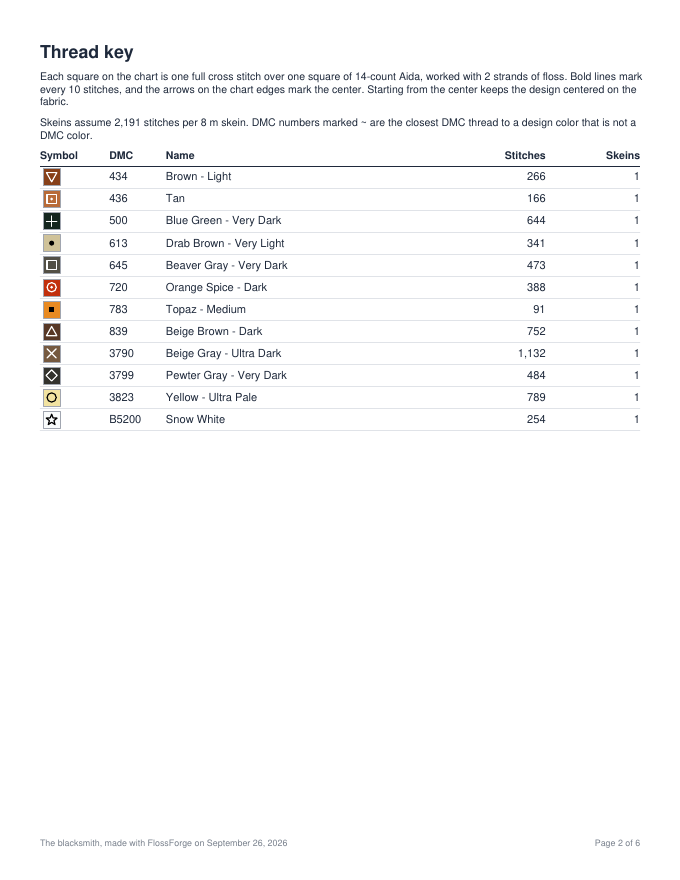
Choose your fabric count, how many strands you stitch with, and whether the chart squares are printed in color or as black and white symbols. The PDF opens with a cover that gives the finished size on that fabric and how much to cut, then a thread key with a skein estimate per color, then the chart itself, split across pages when the design is large and overlapping so the pages line up.
Sign in and your work saves to your account, so a pattern started at the desk is there on the laptop in the evening. FlossForge is open by invitation while it is new. If you would like a code, write to hello@flossforge.com and say a little about what you stitch.